The Problem
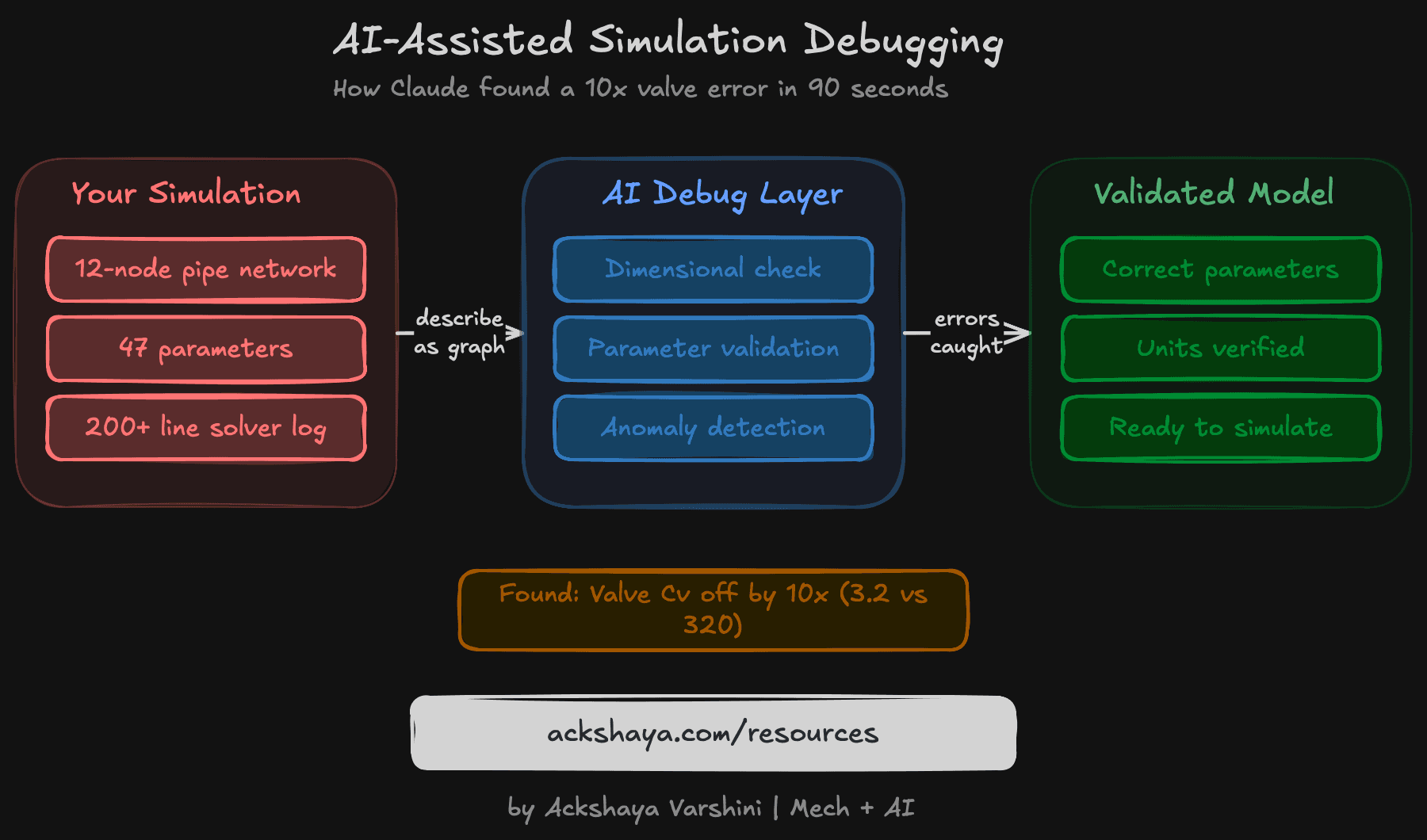
I was working on a 12-node hydraulic pipe network simulation I've been building. The pressure drops weren't matching expected values, but the solver was converging fine. No error messages. No warnings. Just wrong numbers.
This is the worst kind of bug. Everything looks like it's working. You just know the output doesn't match physical intuition.
I'd been manually tracing parameters for about two hours. Twelve nodes, each with pipe diameter, length, roughness, and flow rate. Seven valves, each with Cv coefficients from different manufacturers. Forty-seven parameters total.
What I Tried First (And Why It Failed)
My first attempt: I copied the entire simulation log and pasted it into Claude with “find the bug.” This didn't work. The log was 200+ lines of solver iterations. Claude gave me vague suggestions about “checking boundary conditions.”
My second attempt: I asked Claude to “look at the pressure drop across valve 7.” Better, but it was fishing.
The Approach That Worked
I changed strategy. Instead of dumping data, I described the network as a graph. Then I asked three specific questions:
- 1.Check dimensional consistency across all 47 parameters.
- 2.Compare my valve Cv values against typical manufacturer ranges.
- 3.For each pipe segment, calculate expected pressure drop using Darcy-Weisbach and flag deviations over 20%.
The Bug
Claude found it on question 2. Valve 4 had a Cv of 3.2. For a 4-inch butterfly valve, the expected range is 300-400. I'd dropped two zeros from the datasheet.
Total time: about 90 seconds.
Why This Works
Three reasons:
Structure beats data dumps
Describing the model as a graph gives Claude structure. Claude can reason about nodes and edges, not 200 lines of solver output.
Dimensional analysis is an LLM strength
Dimensional analysis is something LLMs are good at. They've seen millions of physics problems and know what units should look like.
Validation, not exploration
Asking for comparison against known ranges turns Claude into a validation tool, not an exploratory chat bot.
What I'm Building Next
This experience convinced me to build an AI validation layer directly into my hydraulic simulation tool. Before you run a simulation, it will:
- Check dimensional consistency across all parameters
- Flag parameters outside expected manufacturer ranges
- Verify boundary conditions match the physical setup
- Suggest corrections with confidence levels
Try This Yourself
- 1.Take any simulation model.
- 2.Describe it as a graph (nodes, edges, parameters).
- 3.Ask Claude for dimensional consistency.
- 4.Ask for parameter range comparison against manufacturer specs.
- 5.Ask for anomaly flagging with deviation thresholds.
- 6.You'll be surprised how often there's a lurking copy-paste error.
Resource Links
Follow me on LinkedIn for more Mech+AI debugging stories
Follow on LinkedInMore resources coming soon
← Back to all resources